
Setup guides
Set up Box Seats on your device
Pick your device and follow the step-by-step guide. Most run the Box Seats app itself; the rest — Samsung, Hisense and Toshiba TVs, and iPhone — use a free player against the same subscription.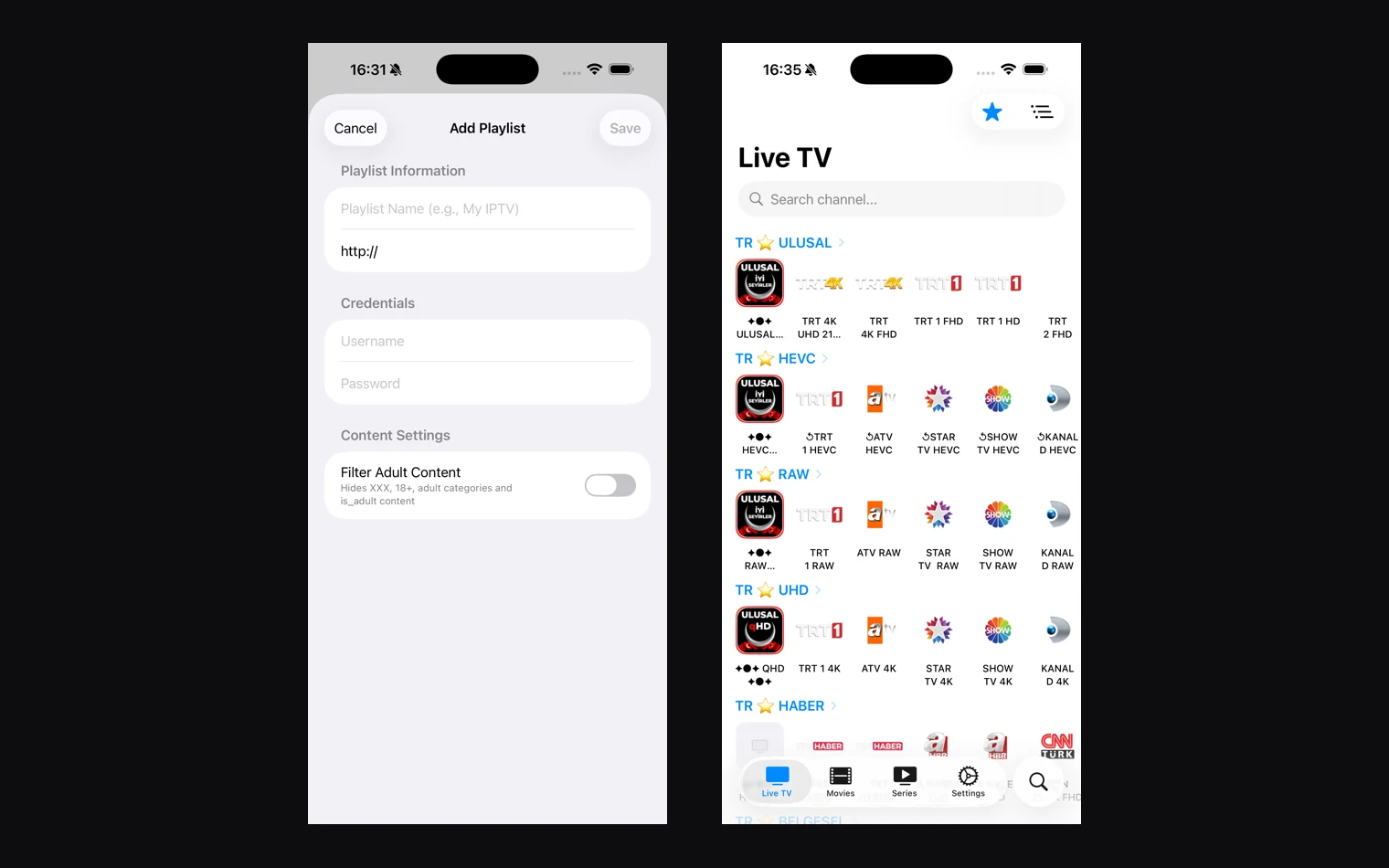
iOS · iPadOS
iPhone & iPad
Runs on iOS and iPadOS, installed from the App Store. The same app runs on a Mac.
Another IPTV Player
Best free app for this device · App Store · free and open source, no adsFree
01
Open the App Store, search for Another IPTV Player and tap Get. It is free, with no ads and no account.
02
Open it and choose Xtream Codes.
03
Enter the server URL, username and password from your Box Seats activation email.
04
Your live channels, movies and series appear. AirPlay and picture-in-picture work as normal.
Get started
Ready to start streaming?
Pick a package and we'll email your login details within one business day.The Android robot is reproduced or modified from work created and shared by Google and used according to terms described in the Creative Commons 3.0 Attribution License. Google Play and the Google Play logo are trademarks of Google LLC.