
Installation
Set up Box Seats on your device
Pick your device and follow the step-by-step guide. Most run the Box Seats app itself; the rest — Samsung, Hisense and Toshiba TVs, and iPhone — use a free player against the same subscription.01
App store
02
Downloads
Android APKFirestick and TV boxes without Google Play · installed through Downloader
Open
macOS (Intel + Apple Silicon)One universal build for both Macs · needs Java 17
Open
Linux installer.deb for Debian and Ubuntu · bundles its own runtime
Open
Windows installerDisable your antivirus first · if Windows warns, click More info, then Run anyway
Open

Android TV OS 8.1+
Android TV
Runs on Android TV and Google TV, on any TV or box running Android TV OS 8.1 or newer.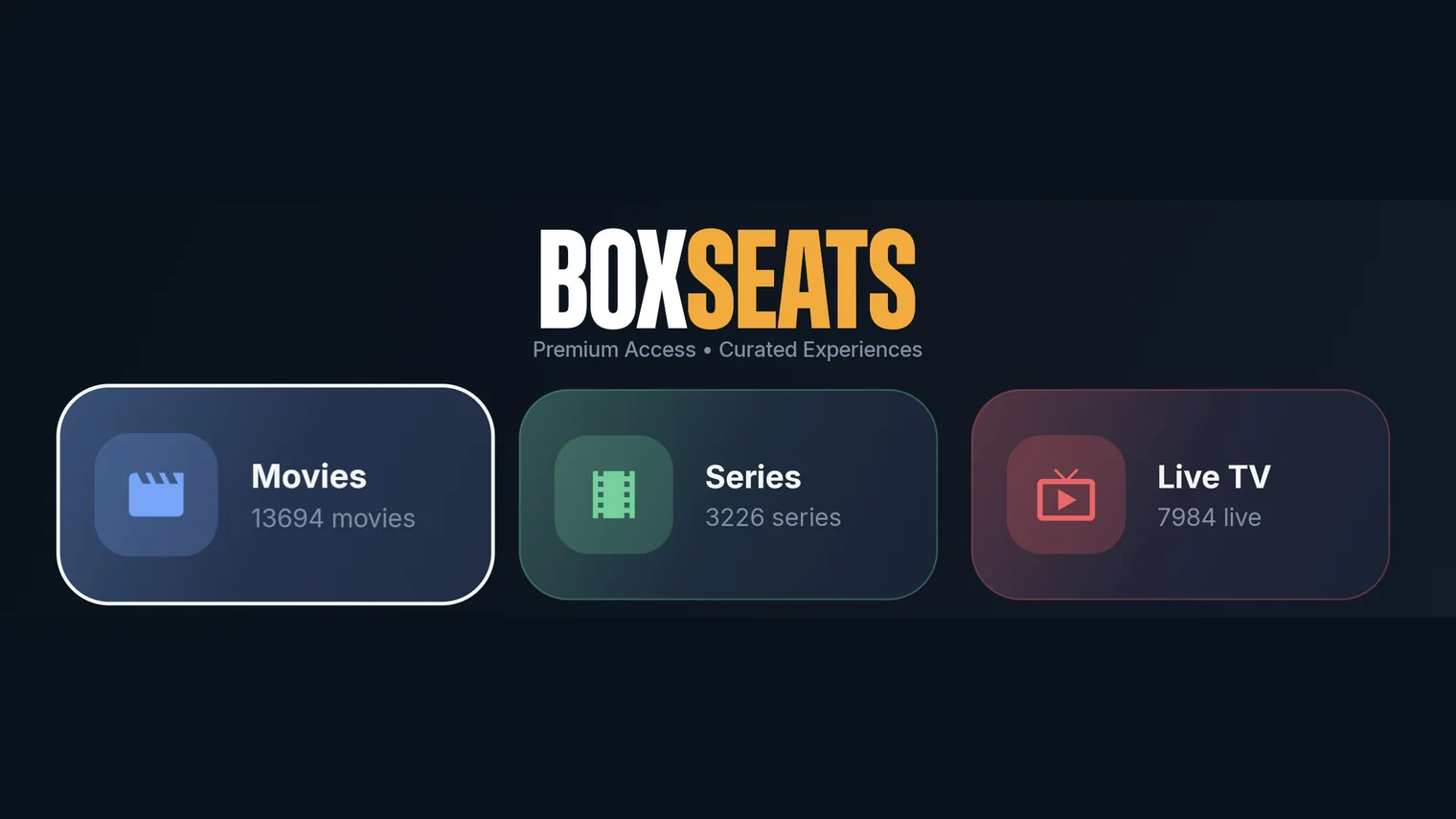
Box Seats: IPTV Player
Best free app for this device · Google Play, on your TVFree

01
Open Google Play on your TV and search for Box Seats: IPTV Player, or use the Google Play button at the top of this page.
02
Install it and open it. A TV box or Firestick with no Play store follows the Fire OS guide instead.
03
Sign in with the details we email you after purchase.
04
Your live channels, movies and series are on the three tiles of the home screen.
Three tiles, the whole library
The home screen is three tiles — Movies, Series and Live TV — with the count of what is behind each one, and the remote takes you straight in.Movies and SeriesShelves or classic sidebar categories, continue watching, resume where you stopped and the next episode plays itself. Search the whole library from the top of any screen.
Live TVFavourites, recently watched and your own channel groups; a full EPG you can search, with catch-up where your package offers it; live rewind; and recordings scheduled straight from a guide entry.
The playerSubtitles, audio tracks, aspect ratio, speed and quality controls, and parental controls that hide categories or lock them behind a PIN.
Android
Android Phone & Tablet
Runs on Android phones and tablets, from Google Play.Box Seats: IPTV Player
Best free app for this device · Google PlayFree
01
Open Google Play and search for Box Seats: IPTV Player, or use the Google Play button at the top of this page.
02
Tap Install, then Open.
03
Sign in with your subscription details (emailed to you after purchase).
Fire OS
Amazon Firestick
Runs on Amazon’s Fire OS. The Box Seats APK is side-loaded through Downloader, so Fire TV must allow it once.Box Seats app
Best free app for this device · Direct APK, via the Downloader appFree
01
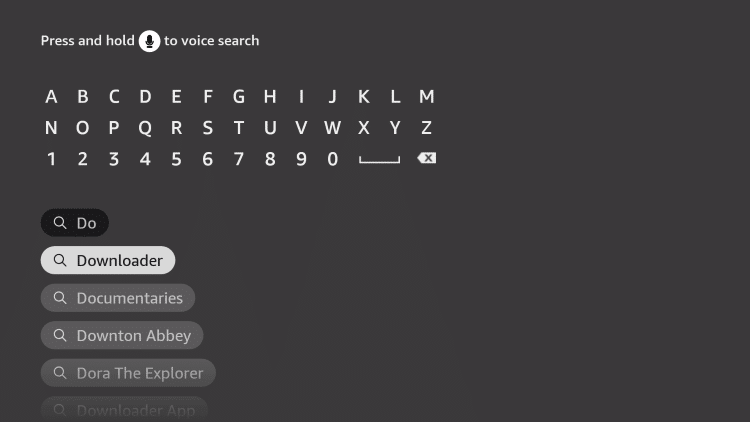
Turn on your Fire TV device and click on the Search icon.
02
Type Downloader using the remote.
03
Click Download to install the Downloader app from the Amazon App Store.
04
Go to Settings → My Fire TV → Developer Options → Install Unknown Apps → Downloader → Turn on.
05
Open the Downloader app, enter https://www.boxseats.tv/download/ and install the Box Seats app.
06
Once installed, select Open to launch Box Seats and sign in with your subscription details.
Windows · macOS · Linux
PC (Windows / Mac / Linux)
Runs Box Seats itself as a desktop app — no emulator, no third-party player.Download Box Seats
macOS (Intel + Apple Silicon)One universal build for both Macs · needs Java 17
Download
Linux installer.deb for Debian and Ubuntu · bundles its own runtime
Download
Windows installerDisable your antivirus first · if Windows warns, click More info, then Run anyway
Download
01
Pick your platform above and download it.
02
Windows: disable your antivirus first, then open the downloaded BoxSeats-Setup file (turn it back on once Box Seats is installed). If your browser says the file is not commonly downloaded, choose Keep. When Windows shows "Windows protected your PC", click More info, then Run anyway — Box Seats is safe, it is simply not code-signed yet, so Windows warns about it. The installer adds Box Seats to your Start menu and desktop. To update later, just run the newer installer.
03
macOS: install Java 17 first (adoptium.net), then open the downloaded file. Linux: the .deb brings its own runtime — sudo apt install ./boxseats-latest-amd64.deb.
04
On macOS and Linux, install VLC as well (videolan.org) — Box Seats uses it to play there. The app says so if it cannot find it.
05
Open Box Seats and sign in with the username and password from your activation email. There is no server address to enter — the desktop app connects to Box Seats directly.
06
IPTVnator (github.com/4gray/iptvnator) or VLC with the M3U link from the same email both still work, if you would rather not install the Box Seats app.
Tizen OS
Samsung Smart TV
Runs on Samsung’s Tizen OS, installed from the Smart Hub app store on the TV itself.
OTTplayer
Best free app for this device · Samsung Smart Hub store · free account at ottplayer.esFree
01
On a phone or PC, create a free account at ottplayer.es and add your Box Seats playlist: the Xtream login (server, username, password) or the M3U link from your activation email.
02
On the TV, open Smart Hub, go to Apps, search for OTTplayer and install it.
03
Open OTTplayer on the TV and sign in with the same account. Your playlist syncs to the TV.
04
Pick a channel, movie or series and play. OTTplayer has no catch-up or recording; live and on-demand play as normal.

VIDAA OS
Hisense & Toshiba (VIDAA)
Runs on VIDAA OS — Hisense and Toshiba sets, and the other brands that license the platform. VIDAA is not Android and installs no APK, so Box Seats itself cannot go on the TV; a free player from the VIDAA App Store carries the same subscription.OTTplayer
Best free app for this device · VIDAA App Store · free account at ottplayer.esFree
01
On a phone or PC, create a free account at ottplayer.es and add your Box Seats playlist: the Xtream login (server, username, password) or the M3U link from your activation email.
02
On the TV, open the VIDAA App Store from the home screen, search for OTTplayer and install it.
03
Open OTTplayer on the TV and sign in with the same account. Your playlist syncs to the TV.
04
Pick a channel, movie or series and play. OTTplayer has no catch-up or recording; live and on-demand play as normal.
05
If your TV’s store has no OTTplayer, plug a Fire TV Stick or a Google TV dongle into any HDMI port and follow the Fire OS or Android TV guide instead. That runs the Box Seats app itself, with catch-up and recording, on the same television.
iOS · iPadOS
iPhone & iPad
Runs on iOS and iPadOS, installed from the App Store. The same app runs on a Mac.
Another IPTV Player
Best free app for this device · App Store · free and open source, no adsFree
01
Open the App Store, search for Another IPTV Player and tap Get. It is free, with no ads and no account.
02
Open it and choose Xtream Codes.
03
Enter the server URL, username and password from your Box Seats activation email.
04
Your live channels, movies and series appear. AirPlay and picture-in-picture work as normal.
Get started
Ready to start streaming?
Pick a package and we'll email your login details within one business day.The Android robot is reproduced or modified from work created and shared by Google and used according to terms described in the Creative Commons 3.0 Attribution License. Google Play and the Google Play logo are trademarks of Google LLC.